TileWeaver
A downloadable tool for Windows
Draw one small template. Get all 47 autotiles.
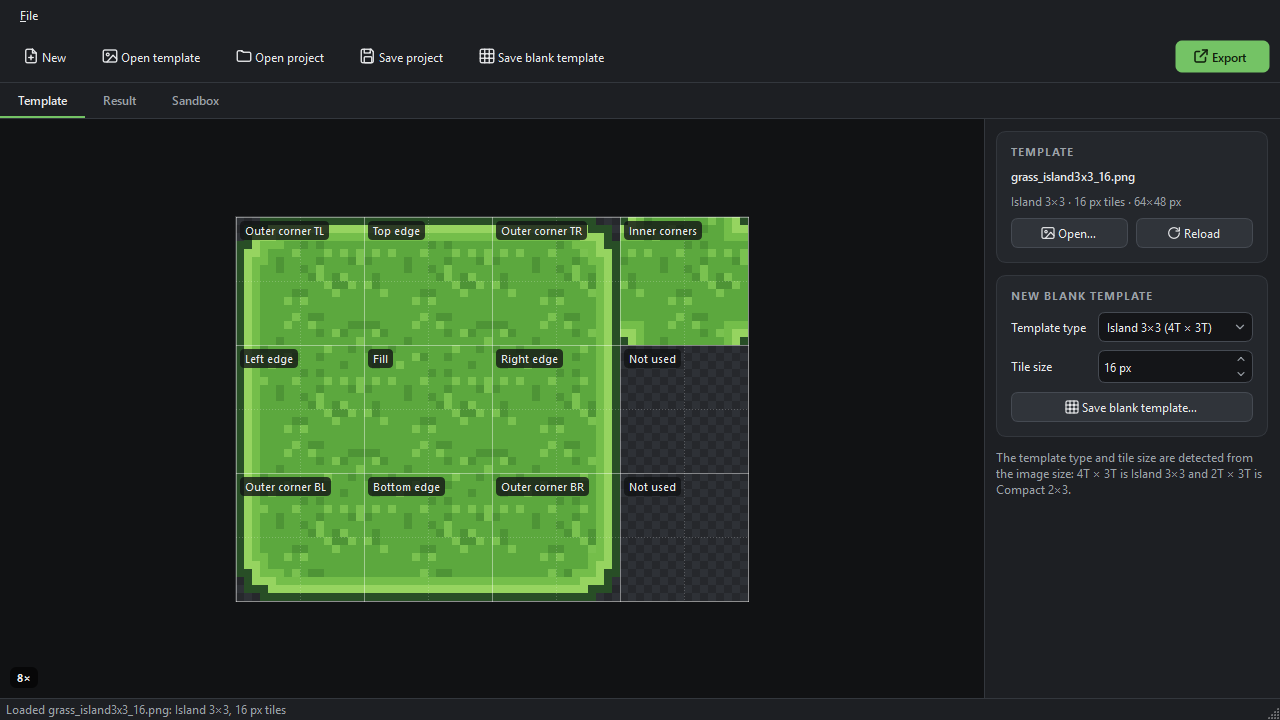
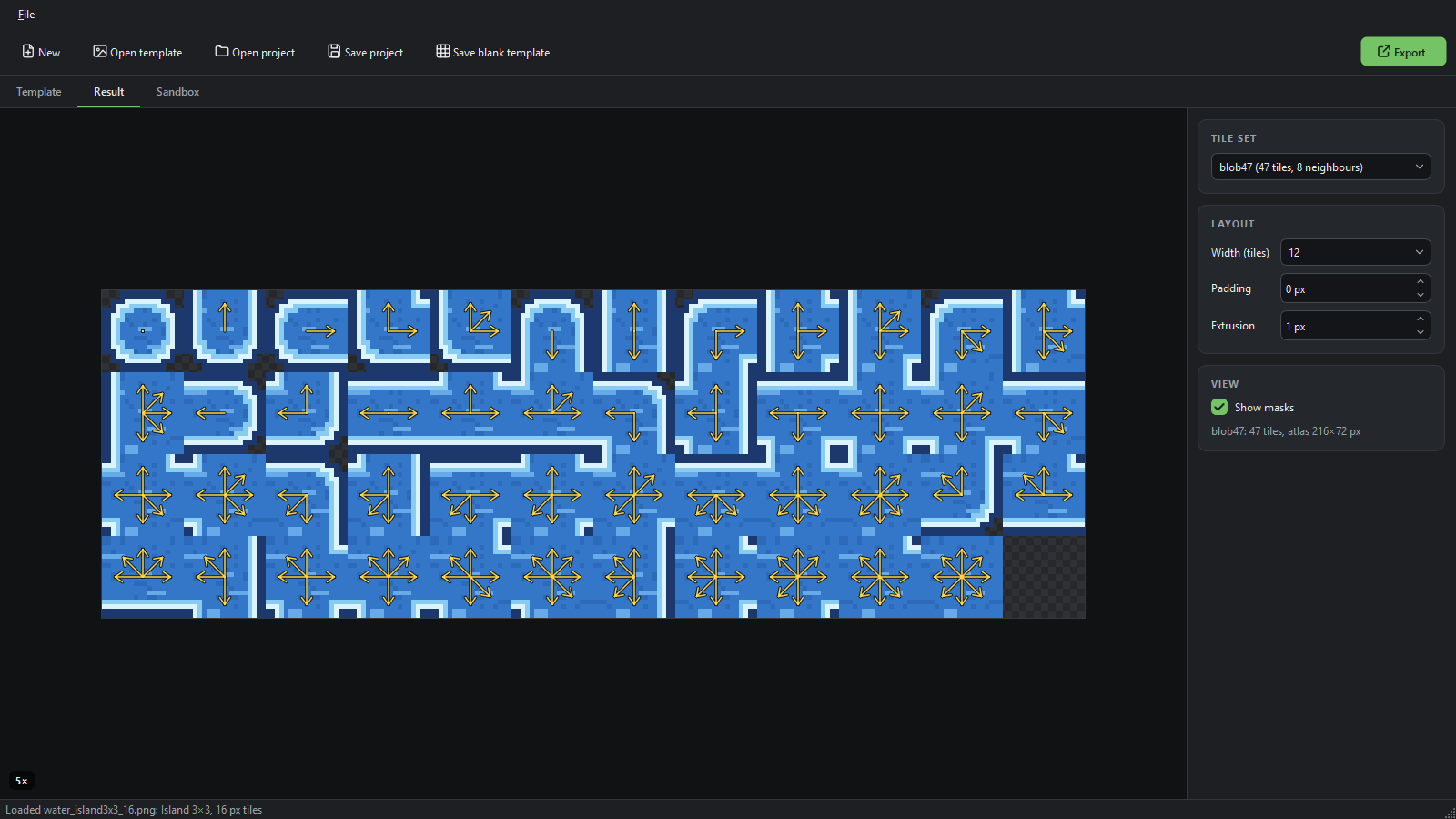
A full autotile set is 47 tiles that all have to line up. With TileWeaver you draw one small PNG instead: a 3×3 island (outer corners, edges, fill) plus one tile of inner corners, which is 64×48 px for 16 px tiles. TileWeaver assembles every tile from it, either the full 47-tile "blob" set or a 16-tile set. Paint in the sandbox to check the joins, then export a terrain that is ready to paint in Godot 4 or Tiled, or a plain PNG + JSON for any engine.
Free · name your own price · Windows 10/11 · works offline
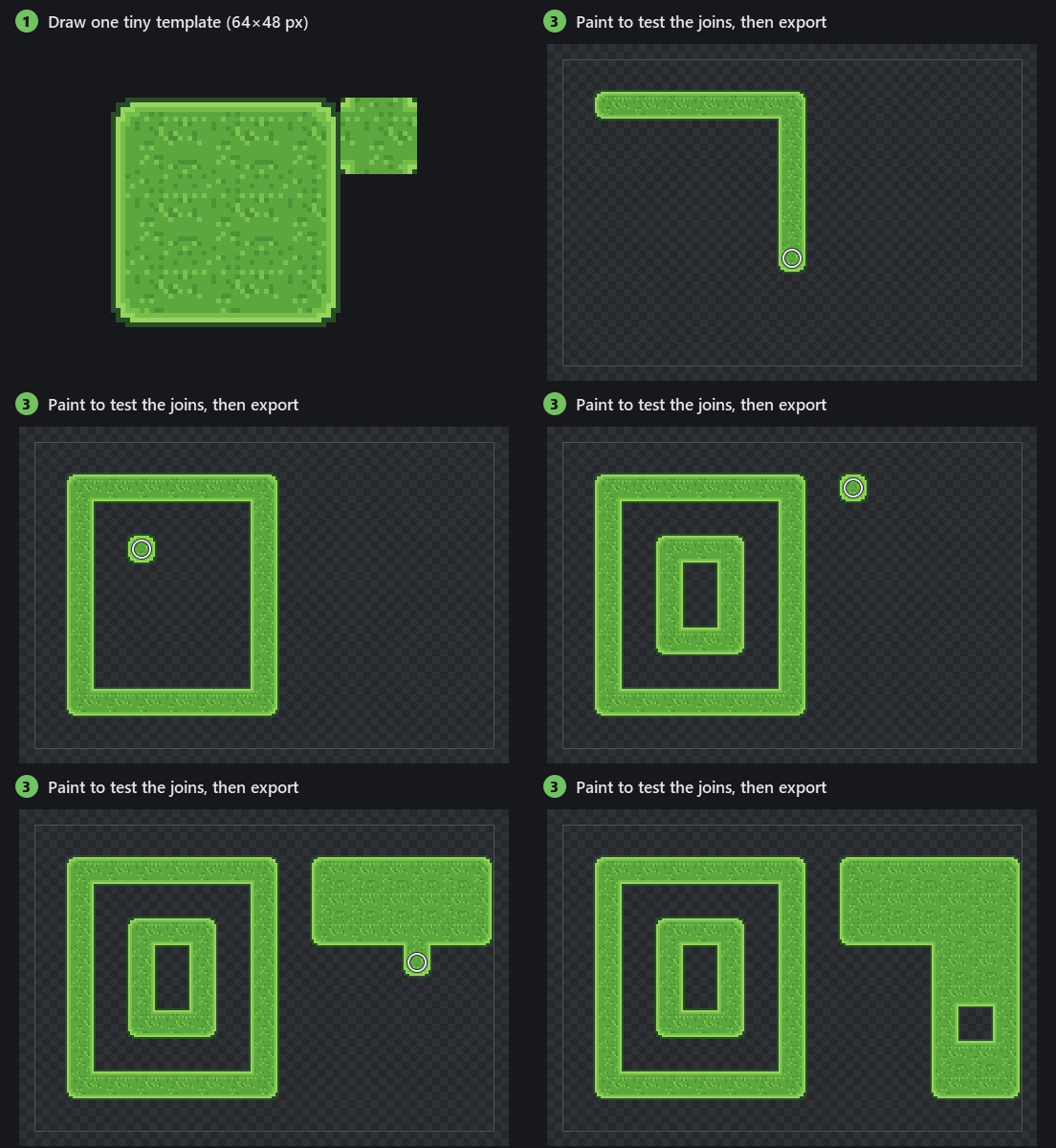
How it works
- Draw a template. Start from a blank template with labelled zones, or open one of the examples. Keep the template open in your pixel editor: every time you save, TileWeaver rebuilds within a second.
- Pick a tile set. blob47 for terrain with inner corners (47 tiles), or one of the 16-tile sets. TileWeaver cuts the template into quarters and puts them back together into every tile, pixel for pixel: no resampling, no blur, no colour changes.
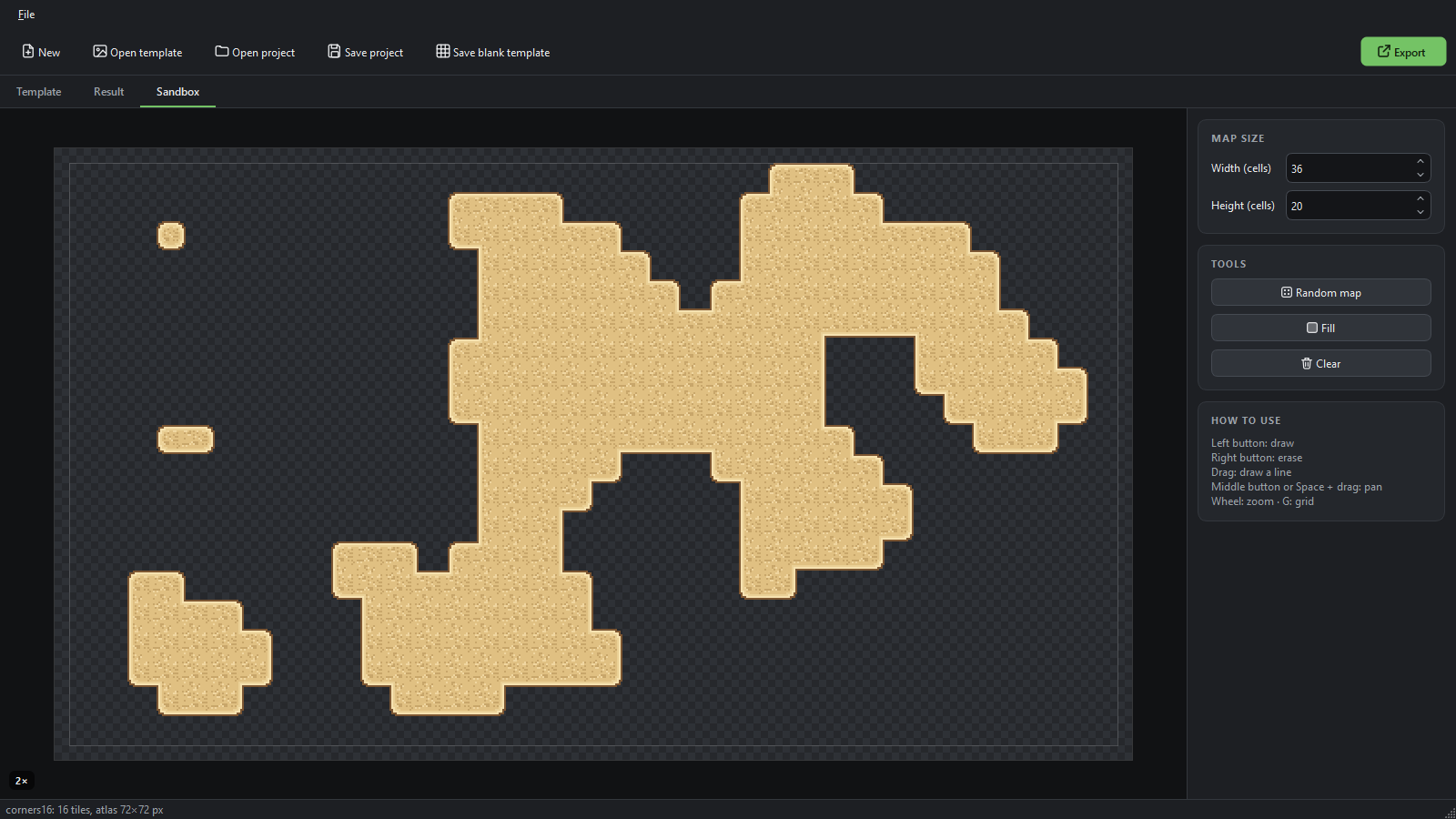
- Test and export. Draw any shape in the sandbox, then export the atlas with the terrain data already filled in.
Using it in Godot 4 and Tiled
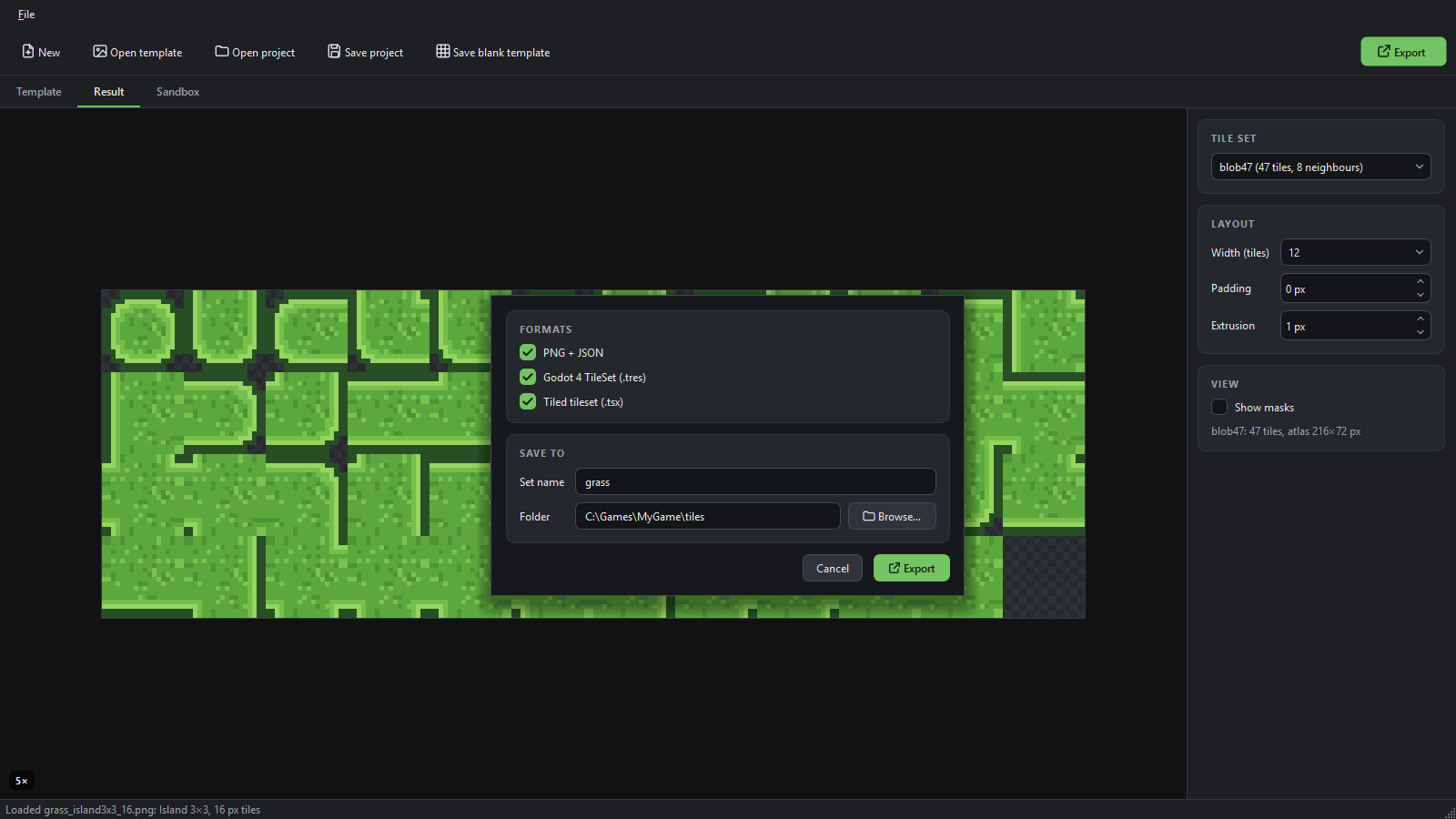
Godot 4: export with Godot 4 TileSet ticked. You get grass.tres and grass.png. Copy both into one folder of your project and set grass.tres as the Tile Set of a TileMapLayer. In the TileMap panel open Terrains, pick the terrain (it has the set's name) and paint. Every tile already has its peering bits, so there is nothing to set up by hand.
Tiled: export with Tiled tileset ticked, add the .tsx to your map, pick its terrain set and paint with the Terrain Brush.
Tested with Godot 4.7 and Tiled 1.12.
Tile sets
- blob47: 47 tiles. Each tile looks at all 8 neighbours, so diagonal joins and inner corners come out right (Godot 3 called this "3×3 minimal"). Godot: Match Corners and Sides. Tiled: mixed terrain set.
- sides16: 16 tiles that look at the 4 sides only, without inner-corner detail. Godot: Match Sides. Tiled: edge terrain set.
- corners16: 16 tiles chosen by their 4 corners (marching squares), the set used for dual-grid tilemaps. Godot: Match Corners (see "Good to know"). Tiled: corner terrain set.
Features
- Two template layouts: Island 3×3 and Compact 2×3, any even tile size from 8 to 128 px. TileWeaver works out the layout and tile size from the image size, so you just open the PNG.
- Any PNG: indexed-colour (palette) and greyscale PNGs from Aseprite or any other editor open as they are, and colours are copied exactly.
- Godot 4 TileSet (.tres): one terrain set with the peering bits on every tile. Copy the .tres and .png anywhere in your project; margins and separation already match the padding and extrusion.
- Tiled tileset (.tsx): one terrain set (Wang set) with every tile tagged.
- PNG + JSON: the atlas plus each tile's position and neighbour key, for any engine.
- Atlas options: 12 or 8 columns for blob47, padding 0–4 px and edge extrusion 0–2 px to stop seams when the camera zooms.
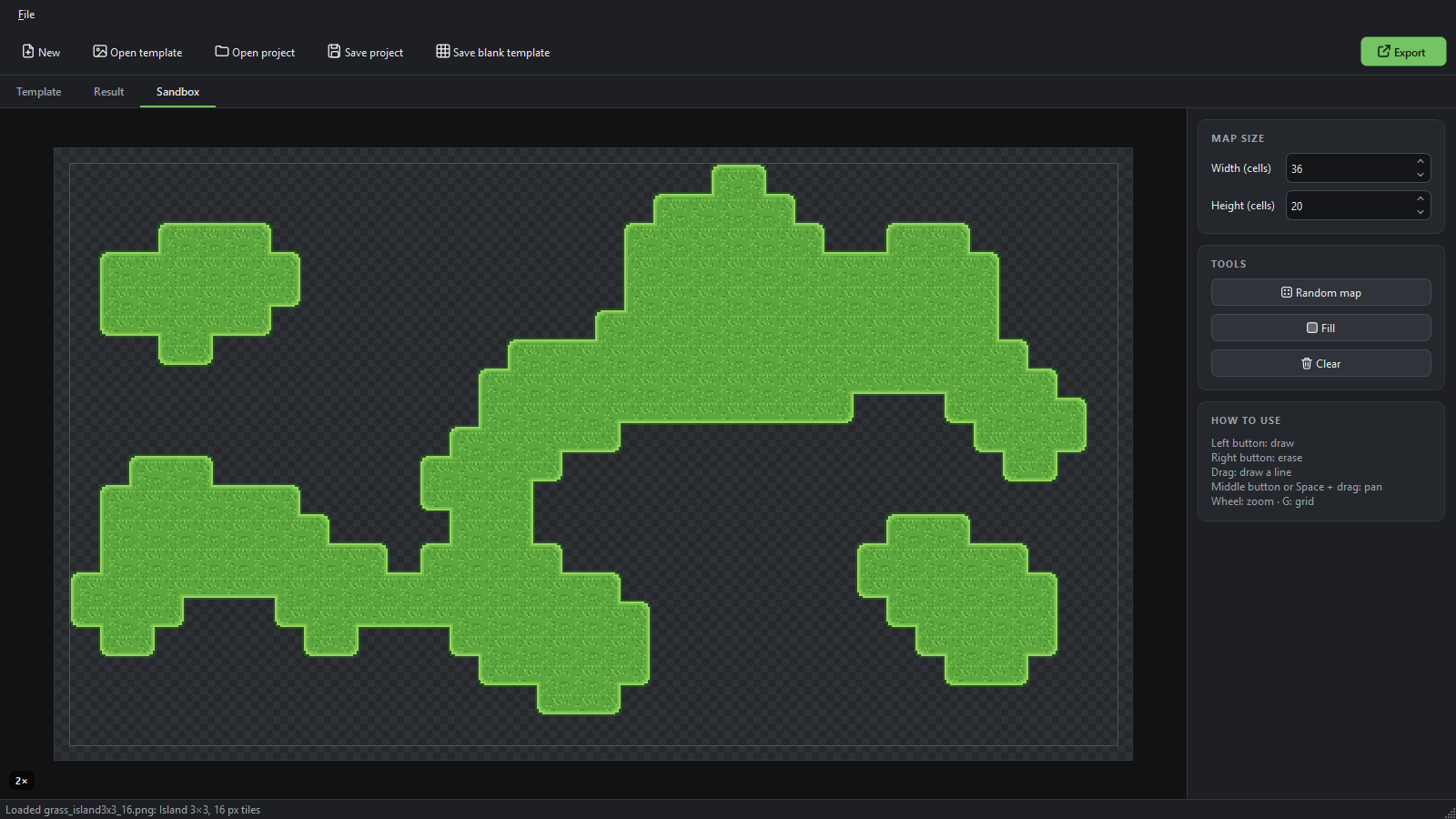
- Sandbox: paint, erase, drag lines, fill, clear or generate a random cave-style map on a grid of up to 64 × 64 cells. corners16 is shown as a true dual grid.
- Command line:
tileweaver-cli.exe build …for build scripts. With the same settings it writes the same files as the app, byte for byte, and it can build straight from a saved project (--project). - Projects: a small
.tileweaver.jsonfile remembers where your template is and all settings, so you can reopen it and rebuild later. - Offline: no account, no internet connection, no telemetry.
What's in the download
TileWeaver.exeand the command-linetileweaver-cli.exe. No installer, no Python needed.- Blank templates with labelled zones for both layouts (16, 32 and 48 px). The app and
tileweaver-cli.exe blankmake one at any even size from 8 to 128 px. - Example templates (16 px): grass for both layouts, plus water, sand and stone floor.
- A README with the formats and the command line.
Free: name your own price
TileWeaver is free, with every feature included: all three tile sets, the Godot 4 and Tiled export and the command line. There is no trial, no locked version and no watermark. Download it for $0, or pay what you like: if it saves you time, a donation is the best way to say thanks and support further updates.
System requirements
Windows 10 or 11, 64-bit, about 100 MB of disk space (tested on Windows 11).
Good to know
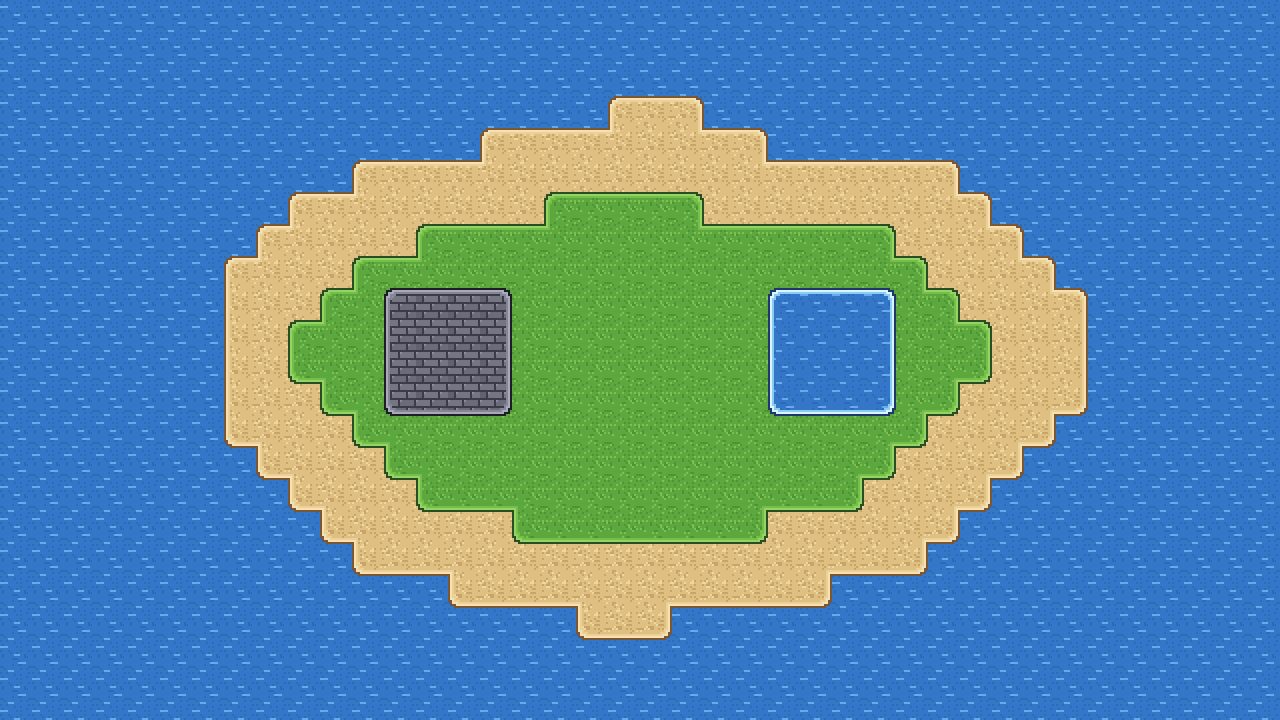
- One terrain per template: each template makes one terrain (say, grass) on a transparent background. The island in the pictures is four sets (water, sand, grass and stone) on four stacked layers. TileWeaver does not make tiles that blend two terrains into each other, such as grass-to-sand.
- Drawing tip: draw the edges and the fill so that they repeat cleanly side by side, like the examples do. Then every join is seamless.
- corners16 in Godot: Godot's terrain brush fills a corner only when all four cells around it are painted, so painted areas look half a tile smaller and single cells stay empty. The sandbox draws corners16 as a dual grid (tiles shifted by half a cell); Godot's brush does not. To paint cell by cell in Godot, use blob47 or sides16.
- First start: Windows SmartScreen may say the app is from an unknown publisher. Click More info → Run anyway.
License
TileWeaver is free for personal and commercial use, on as many computers as you like. Everything you make with it is yours: use the tiles in commercial games and asset packs, no credit needed. Two things are not allowed: selling or re-uploading TileWeaver itself (please share this page instead), and selling or sharing the bundled blank and example templates on their own, unchanged. The full terms are in LICENSE.txt in the download.
Made by PJ88.
Download
Click download now to get access to the following files:
Leave a comment
Log in with itch.io to leave a comment.